
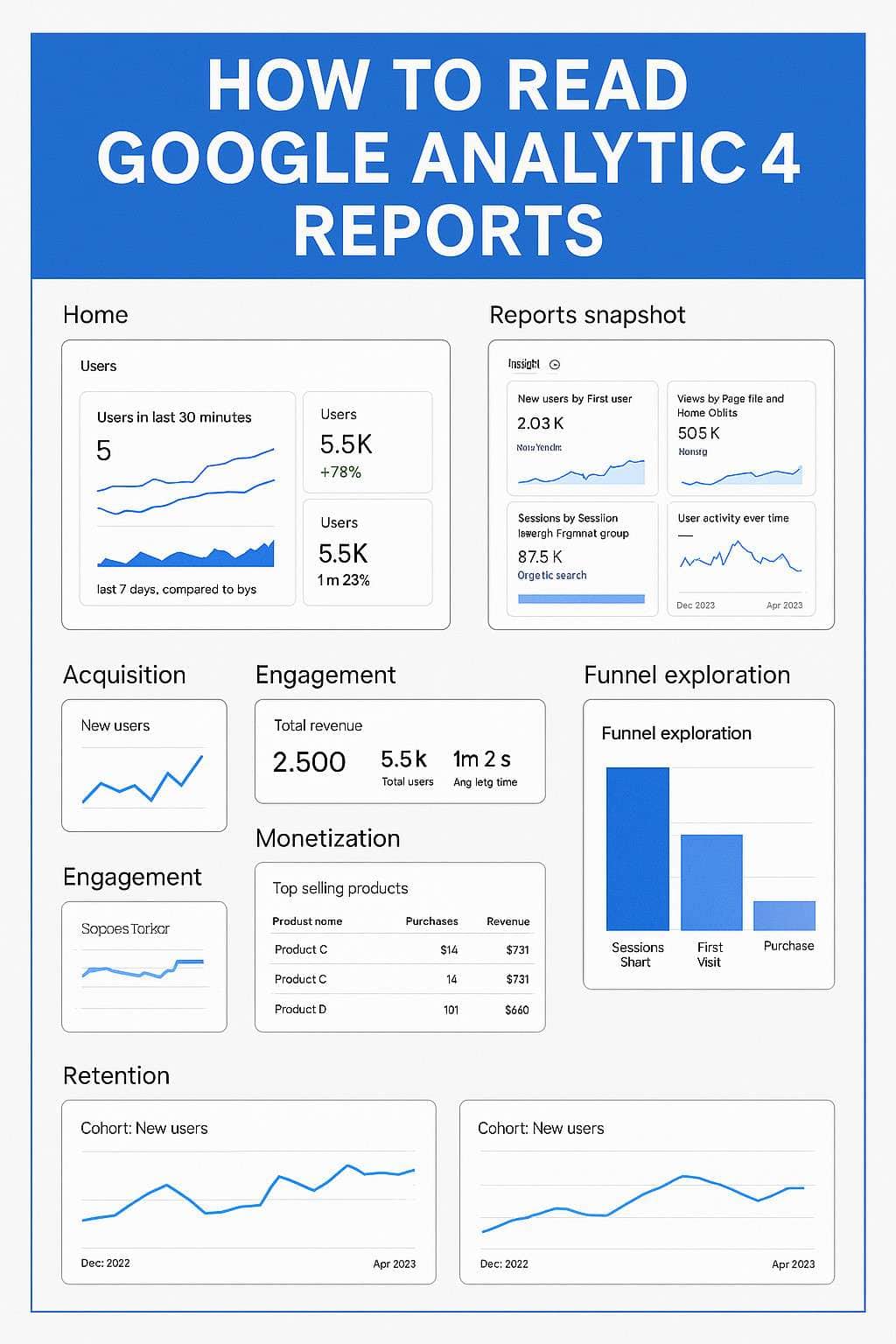

How to Read Google Analytics 4 Reports
Introduction: Why GA4 Matters for Modern Businesses
Data is the lifeblood of digital marketing. Without tracking and analyzing how users interact with your website or app, you’re flying blind. That’s where Google Analytics 4 (GA4) comes in. Whether you run an e-commerce store, a local service business, or a content site, GA4 reports help you measure performance, understand customer behavior, and make smarter decisions.
What is Google Analytics 4?
The Shift from Universal Analytics to GA4
In July 2023, Google officially retired Universal Analytics, replacing it with GA4. Unlike the old model that focused on pageviews and sessions, GA4 uses an event-based data model, offering deeper insights into user journeys.
Key Differences Between GA4 and Universal Analytics
- GA4 focuses on events instead of pageviews.
- Bounce rate has been redefined as engagement rate.
- GA4 integrates seamlessly with both websites and mobile apps.
- Machine learning powers predictive insights and audience building.
Navigating the Google Analytics 4 Interface
Home Dashboard Overview
The Home tab shows a snapshot of real-time traffic, top-performing pages, and quick insights.
Reports Snapshot
This is your one-stop overview of traffic sources, user demographics, and conversions.
Realtime Reports
Realtime reports show who’s currently on your site, what pages they’re viewing, and how they’re engaging.
Understanding the Core GA4 Reports
Acquisition Reports – Where Traffic Comes From
Learn whether users arrive from Google search, social media, direct visits, or referrals.
Engagement Reports – How Users Interact
These reports track page views, engaged sessions, events, and conversions.
Monetization Reports – Tracking Revenue
For e-commerce, GA4 tracks product performance, purchases, and ad revenue.
Retention Reports – Measuring Customer Loyalty
See how many users return to your site and how often.
Key Metrics You Must Know in GA4
Users vs. New Users
- Users: Total number of unique visitors.
- New Users: First-time visitors only.
Understanding the balance between returning and new users helps measure brand loyalty.
Sessions and Engaged Sessions
- A session is a group of interactions during a visit.
- Engaged sessions are those lasting more than 10 seconds, including a conversion or 2+ page views.
Engaged sessions highlight quality traffic over vanity numbers.
Average Engagement Time
This shows how long users actively interact with your site or app. A higher number means better content engagement.
Events and Conversions
In GA4, everything is an event—clicks, downloads, purchases. You can mark specific events as conversions to track key business goals.
Bounce Rate (Reimagined in GA4)
Instead of the old bounce rate, GA4 uses engagement rate as a positive metric. If users interact, they’re considered engaged.
Event-Based Tracking in GA4
What Are Events in GA4?
Events capture every user interaction. Unlike Universal Analytics, you don’t need custom code for most actions.
Automatically Collected Events
GA4 automatically tracks page views, first visits, and session starts.
Recommended Events
Events like purchase, sign_up, or login provide consistent tracking across industries.
Custom Events and Conversion Setup
Businesses can create custom events (e.g., video_played or form_submitted) and tag them as conversions to measure what really matters.
Using Explorations in GA4
Funnel Exploration
Shows the step-by-step journey users take before converting. Useful for identifying where drop-offs happen.
Path Exploration
Maps the paths users follow on your site. For example, what pages they visit after landing on your homepage.
Segment Overlap
Helps visualize the intersection of different audience segments, such as users from organic traffic who also purchased a product.
How to Customize GA4 Reports
Adding Filters and Comparisons
Filters let you slice data—for example, analyzing only mobile users or traffic from Vancouver.
Creating Custom Dimensions and Metrics
Custom dimensions allow you to track business-specific data, such as membership levels or customer IDs.
Building Custom Reports
You can design dashboards with only the metrics that matter to your business, saving time.
Common Mistakes When Reading GA4 Reports
Confusing Users with Sessions
Many beginners mistake sessions for unique users. Sessions reset after 30 minutes of inactivity.
Ignoring Event Tracking Setup
Without proper event tagging, GA4 reports will miss key business actions like purchases or downloads.
Overlooking Retention Metrics
Traffic is great, but customer retention is what drives long-term growth. Retention reports in GA4 reveal brand loyalty.
Practical Applications of GA4 Data
Improving Marketing Campaigns
See which channels (Google Ads, social media, SEO) deliver the best ROI and double down on what works.
Optimizing Website Content
Use engagement reports to identify which blog posts, videos, or product pages attract the most attention.
Enhancing E-commerce Conversions
Track product performance, cart abandonments, and checkout behavior to improve sales funnels.
FAQs About Reading GA4 Reports
1. How often should I check GA4 reports?
At least weekly for campaign tracking, and monthly for strategic insights.
2. Do I still need Google Tag Manager with GA4?
Yes. GA4 tracks basics, but GTM helps with advanced event setup.
3. Can GA4 track both websites and apps?
Yes, GA4 is built to integrate cross-platform data seamlessly.
4. How accurate is GA4 data?
GA4 uses data modeling to fill gaps (due to privacy laws), so numbers may differ slightly from Universal Analytics.
5. Is GA4 free to use?
Yes, GA4 is free, though the enterprise version (Google Analytics 360) offers advanced features.
6. How long does it take to learn GA4?
Most businesses grasp basics in 1–2 months, but mastering advanced reports can take longer.
Conclusion: Mastering GA4 for Smarter Decisions
Google Analytics 4 might feel overwhelming at first, but once you understand how to read its reports, it becomes a powerful business tool. By focusing on events, conversions, and user journeys, GA4 helps you make data-driven decisions that improve marketing, content, and sales performance.
The key is to move beyond vanity metrics and dig into actionable insights. Whether you’re a small business owner, marketer, or e-commerce entrepreneur, mastering GA4 ensures you’re not just collecting data—you’re using it to grow smarter.
🔗 Recommended Resource: Google’s Official GA4 Help Guide
